
Clues, Statements and Notebook in Confessd
Three places for your notes
On the suspects screen there are three buttons that keep everything you've found out. Clues gathers the facts revealed during the game. Statements shows the whole conversation, question by question. Notebook is your question notebook, where you write down what you want to ask.
Clues and Statements are also in the interrogation header, so you can check them without leaving the room.

Clues: what counts as evidence
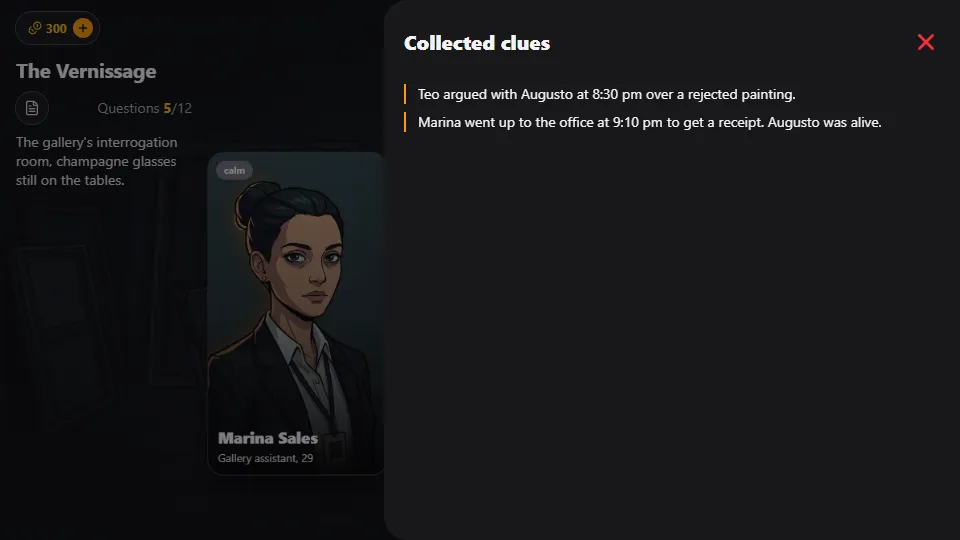
When an answer gives something away, it becomes a clue. You'll see an orange dot fly from the answer to the Clues icon, and its number goes up. Forensics also become clues: the report shows "Added to the clues".
Every new clue is worth +5 points. The point is yours for good: it counts once per account, per case and per clue. If you lose and play the case again, revealing the same clue doesn't pay out a second time.
When it's time to accuse, the evidence comes from here. After you choose the suspect, the game asks "What is your evidence?" and shows the list of your clues. You pick just one, and it has to truly point to the person you accused. So read each clue asking yourself: what does this tie to whom?
Statements: cross-check what everyone said
Statements is the timeline of everything you asked and heard. At the top there's a filter: All, or one suspect at a time. Filtering by suspect shows only their lines, keeping the numbering of the full timeline so you can find your way.
This is where the investigation happens. Every innocent person is hiding something, and the culprit lies. Compare times, places and versions: when a suspect's line doesn't fit a clue or what someone else said, you've found a pressure point. Go back to the interrogation and look for the question that confronts that contradiction.
Notebook: your questions
The question Notebook doesn't hold leads: it holds questions you want to ask, and they carry over to every case. Tap Save to keep one. It holds up to 30; if you delete one by mistake, tap Undo.
In the interrogation, your Notebook questions appear in the "Detective's questions" tab. They work like typed questions: they count when they ask for the same thing as an available ready-made question, and they use up a question like any other. The Notebook stays on your device only.
Frequently asked questions
How many points is each clue worth?
+5 per new clue, once per account, per case and per clue, whether it comes from a question or from forensics.
Can I accuse without clues?
No. The Accuse button only works with at least one clue, because the accusation asks for evidence.
Does the Notebook keep the case leads?
No. The leads are in Clues and the lines are in Statements. The Notebook keeps the questions you saved to use in any case.