
Detective game in your browser: Confessd on computer
The same detective game in your computer's browser
Confessd is also a detective game you can play in the browser: on your computer, open confessd.com/play/ (or click "Play" at the top of the website) and play the same game as on your phone, with the same account. Solved cases, coins, forensics, subscription, avatar and leaderboard position are stored in your account, so they work in both places. You can start on your phone and continue on your computer.
The first screen shows the game's art with "Click to start". Browsers only allow sound after a click, so that click (or any key) unlocks the music and sound effects. On a computer the game uses the wide layout, the same as on a phone turned sideways.

How to sign in with your phone account
In the browser the game only works with an account: it doesn't create an anonymous one. The sign-in screen offers four ways in, the same as the app plus one.
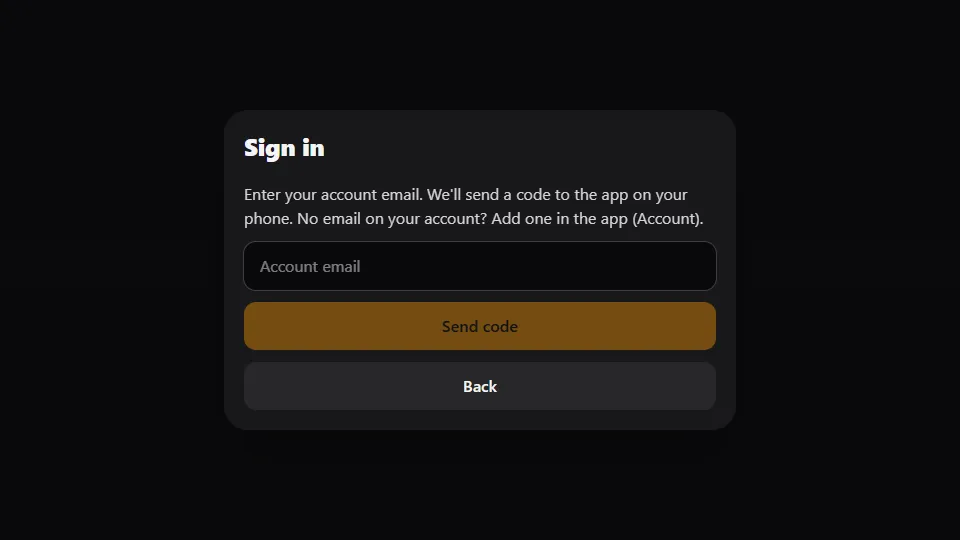
"Get a code" is the first. Enter your account's email in the "Account email" field. Confessd sends a notification to the app on your phone with a 6-digit code; type the code on your computer and you're in. The code is valid for 10 minutes. For this, the app needs to be installed with notifications turned on (Account, Settings). If your phone account doesn't have an email yet, add one in the app (Account) first.
The other ways in are email and password (with "Create account" for anyone who doesn't have one yet), Google and Apple. Anyone who creates an account on a computer gets the same new account they would get on a phone, with the same starting coins and the same case pace. The session is saved in the browser, so next time the game opens straight away. Closing the tab doesn't lose anything.
Phone and computer at the same time
You can stay signed in on both devices. What has an owner is the game itself: it belongs to one device at a time. When you open the case on your computer, it becomes the device for that game. If you then go back to your phone with the same case open, you'll see the notice "You continued the game on your computer" (or "on your phone", the other way around), with two buttons: "Play here" brings the game back, with everything you did on the other device, and "Back to start" takes you to the opening screen.
Nothing gets lost or counted twice: questions, coins and points are stored on the server. If the game ended on the other device, your phone simply goes back to the opening screen and shows the case as solved or the wait for the next case.
What's different in the browser
Almost nothing. Coins and subscriptions bought in one place work in the other. Voice questions work in Chrome, Edge and Safari; in Firefox the microphone button doesn't appear and you type instead. The browser doesn't get notifications or use biometrics, and the phone's sensor features, like shaking to slam the table, stay on the device. The browser's Back button closes sheets and windows just like Back on a phone. You can also play with friends from your computer: a game can mix people on the app and in the browser.
Frequently asked questions
Do I need to install anything to play on my computer?
No. The game runs at confessd.com/play/, right in your browser. Just sign in with an account: a code via your phone, email and password, Google or Apple.
The sign-in code for my computer never arrived. What now?
Check that you entered your account's email, turn on notifications in the phone app (Account) and request it again. If you prefer, sign in with email and password, Google or Apple.
Does my phone progress show up on my computer?
Yes. Solved cases, coins, forensics, subscription, avatar and leaderboard are stored in your account. Sign in with the same account and you pick up where you left off.