
Phone features in Confessd: sensors, camera and screen
Motion sensors in the interrogation
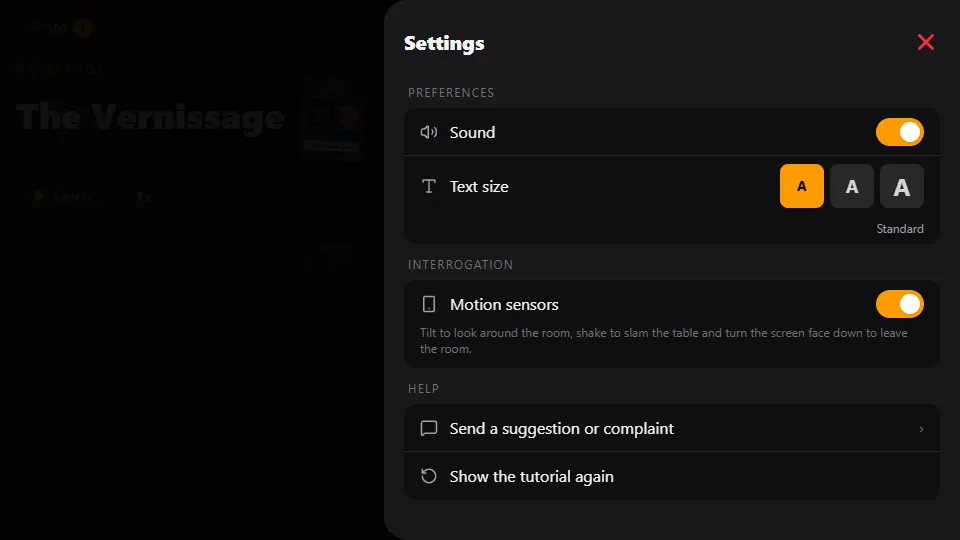
On your phone, the interrogation responds to the way you hold the device. There are three gestures, all tied to the "Motion sensors" option. None of them change the case: they don't reveal clues, use up questions or give points. They're there to put you inside the room.
Tilting the phone slowly moves the room's background, in layers, as if you were looking around (a parallax effect using the gyroscope). The game adapts to the position you hold the device in, so you don't need to keep it flat.
Shaking the phone counts as slamming the table. The screen shakes, the device vibrates and the suspect you're questioning reacts with a short line, which appears in the answer box like any other. These reactions are generic, never a lead. There's a gap of a few seconds between one slam and the next.
Turning the phone face down means leaving the room: the screen goes dark and the sound gets muffled. When you turn it back over, a short clip shows someone coming through the door and the interrogation picks up where it left off.
Where to turn them on and off
The sensors are in Account, Settings, under the "Motion sensors" switch. When it's off, the background stays still and shaking or flipping the phone does nothing. The same menu has sound, text size, notifications and biometrics.
On a computer these gestures don't exist: everything is done with buttons, and nothing in the game depends on them.
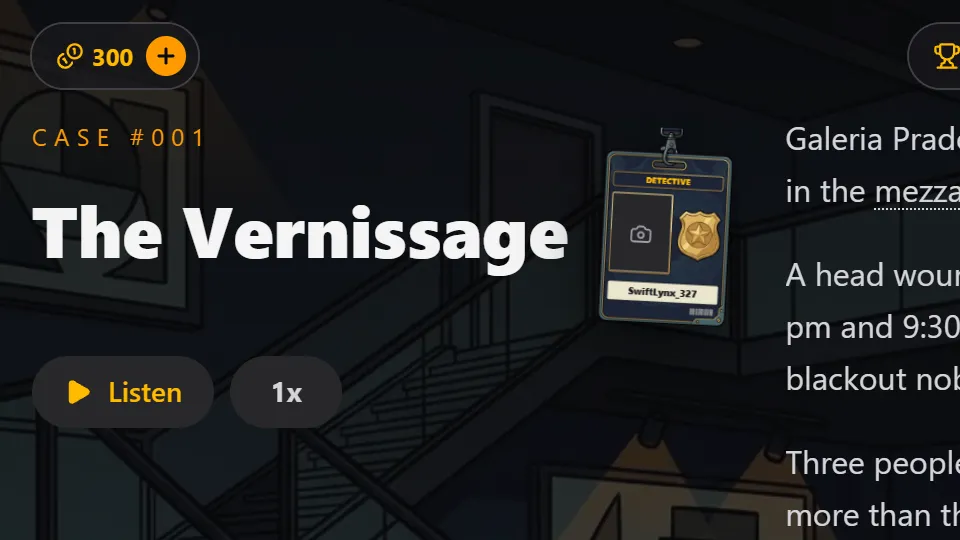
Your detective badge with your photo
On the case opening screen there's a police badge with the title "Detective". Without a photo, it shows the "Take badge photo" prompt. Tap it, use the front camera and tap "Capture": the game turns the selfie black and white and sticks it on the badge. To change it, use "Take another photo".
The camera is only requested on that tap and is only used for that. The photo is stored only on your device and is never sent to the server. The badge shows up again on the arrest screen, when you close the case. If you don't take a photo, it doesn't appear on the arrest screen and nothing changes in the game.
Night room and screen always on
If you play at night, between 7 p.m. and 6 a.m. by your device's clock, the interrogation room gets darker: the background takes on a nighttime tone and the suspect's photo looks gloomier. In the daytime the room goes back to normal.
While Confessd is in the foreground, the screen doesn't turn off by itself. You can read a long answer, listen to the narration or think about your next question without touching your phone. When you leave the app, switch apps or lock the device, the phone goes back to turning off the screen as usual. There's no setting for this: it always works this way. In the browser, the screen stays on when the browser allows it.
Frequently asked questions
Does slamming the table help get a confession?
No. The slam only makes the suspect react with a generic line. It doesn't reveal clues, use up questions or change the outcome of the case.
Does my badge photo go to a server?
No. The photo is stored only on your device. The camera is only requested when you tap Take badge photo.
How do I turn off the room's motion?
In Account, Settings, turn off Motion sensors. The background stops moving and shaking or flipping the phone no longer has any effect.